

Overview #
Creator and Entrepreneur profiles are designed for the builders and voices of the venture ecosystem. Because modern creators often launch companies—and modern founders often build audiences—these two profile types are uniquely Dual‑Access. They share the same specialized data sections, allowing you to showcase both your audience reach and your venture traction in one unified profile.
💡 The Only Difference: Selecting “Creator” or “Entrepreneur” changes the Profile Tag displayed in your header. All fields and Snapshot sections remain the same.
Specialized Snapshot Sections #
Your profile includes two high‑impact Snapshot sections. These act as quick‑scan “scorecards” that help partners, brands, and investors understand your influence and traction at a glance.
1. Creator Snapshot
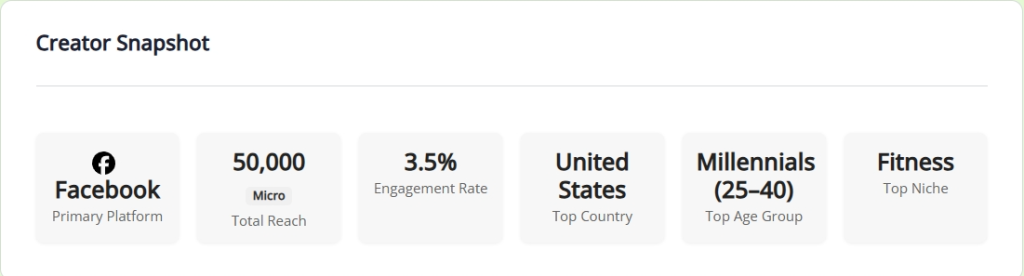
This section quantifies your influence and audience demographics—ideal for members pursuing brand partnerships, content collaborations, or community‑driven opportunities.
- Primary Platform: Your main channel (e.g., YouTube, LinkedIn, Instagram).
- Total Reach: Combined followers/subscribers across all platforms.
- Engagement Rate: Average interaction level on your content.
- Audience Insights:
- Top Country
- Top Age Group
- Top Niche
2. Entrepreneur Snapshot
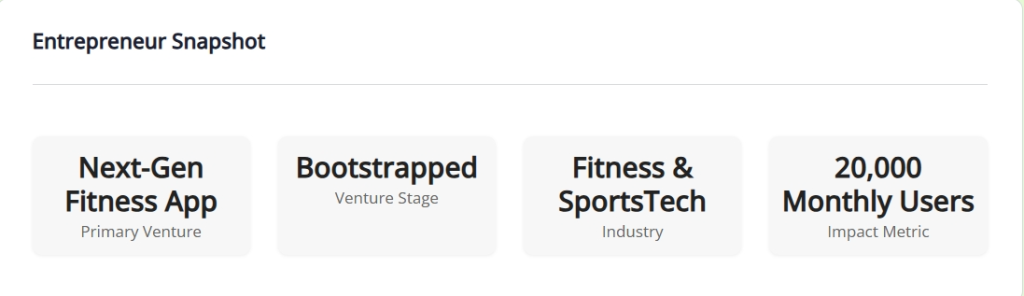
This section highlights your venture identity and the traction behind your current project.
- Primary Venture: Your main company or project.
- Venture Stage: Idea, MVP, Growth, or Revenue‑generating.
- Industry: The sector where you’re building.
- Impact Metric: Your standout milestone (e.g., “$100k MRR”, “50k Beta Signups”).
Profile Visibility & Management #
Your profile functions as your public professional identity. Understanding what others see helps you manage both privacy and presentation.
What the Community Sees
- Profile Header: Profile photo, cover photo, headline, location, website, social icons, languages, and your Profile Type tag.
- Overview: Your “About Me” narrative.
- Snapshots: Creator and Entrepreneur Snapshots (only shown if you’ve entered data).
What Only You See (When Editing)
- Social Media Management: The URLs behind your header icons.
- Profile Details: Editable fields for headline, website, and location.
- Account Setup: Private system fields (First Name, Last Name, Nickname).
- Completion Widget: A sidebar tracker guiding you toward a fully completed profile.
Best Practices #
- Lead With Strength: Use your Impact Metric to highlight your most compelling achievement.
- Be Niche‑Specific: Choose a Top Niche that aligns with the partnerships or opportunities you want to attract.
- Cross‑Pollinate: Even if you identify primarily as an Entrepreneur, completing your Creator Snapshot adds social proof that can strengthen investor confidence and attract collaborators.
Ready to showcase your traction? #
Keep your Creator and Entrepreneur Snapshots up to date to attract the right collaborators.
Optimize Your Snapshot